AI Prompt Library for Solopreneurs: 24 Prompts by Business Job
A free, copy-paste AI prompt library for one-person businesses: 24 prompts sorted by job, plus where to save them in Claude, ChatGPT and Gemini in 2026.


Most AI prompt libraries for solopreneurs are sold, not shown: a sales page, a count of prompts, and a paywall. This one is free and inline. It gives you 24 prompts sorted by the jobs a one-person business actually does, a context block that makes every one of them specific to you, and a way to store and version the set so it survives the next round of product changes.
Those changes are real this year. Custom GPTs are scheduled to be retired and Gemini Gems are being converted to skills, so where you keep prompts matters as much as what is in them. More setups like this live in the AI workflows category.
Why most prompt packs never get used
A pack of 1,000 prompts is organized by topic: marketing, social media, productivity. Your week is organized by jobs. Fix the sales page. Answer the same support question for the fifth time. Ship the app update. Cut the video.
The gap between those two is why a downloaded pack gets opened once.
I run several online businesses on my own, with Claude, GPT and Hermes doing most of the drafting and Google Calendar deciding when each business gets my attention. The prompts I reuse share three traits. They start from a block of context I wrote once. They say what the model must not do. And each one maps to a job I do every week or month, not to a category heading.
So the library below is sorted by job. It also skips three sets this site already covers in full. Inbox prompts are in AI email automation for solopreneurs. Weekly planning, outreach, decision memos and SOPs are in using Claude for business operations. The scripting chain is in an AI workflow for YouTube scripts.
Write the context block once
Every prompt below starts with [CONTEXT]. That is a short profile of one business, pasted at the top of the chat or saved as project instructions. If you run more than one business, write one block per business. Mixing them is how an app’s release notes end up talking like your ebook.
[CONTEXT]
Business: [name], a one-person business selling [product] to [specific buyer].
What the buyer is trying to do: [the job, in their words].
Price points: [list]. Never invent or change a price.
Voice: plain, short sentences, no hype, no exclamation marks.
Facts I have confirmed: [3-5 facts the model may use].
If something is not in this block or in what I paste, say "not given" instead of guessing.
The last line does the most work. Most bad AI output is a confident guess where a blank should be.
The library: 24 prompts by business job
Copy any prompt, paste your context block above it, and fill the brackets. Each one is written to work in Claude, ChatGPT or Gemini as plain text.
Offer and pricing
1. Offer one-liner stress test
[CONTEXT]
Here is my offer in one sentence: [sentence].
Rewrite it five ways, each for a different buyer worry: price, time, trust, results, effort.
Then tell me which version a stranger would understand in five seconds, and what word in my original is doing no work.
2. Three pricing options, argued
[CONTEXT]
I am deciding how to price [product]. Give me three options: one lower, one at my current price, one higher with a reason to exist (bundle, tier or support).
For each: who it is for, what I give up, and what I would need to measure for 30 days to know if it worked.
Do not cite market data or competitor prices unless I paste them.
3. Will this sell without ads?
I sold an ebook that sold while ads ran and stopped when they stopped. That is the question this prompt asks up front, before you spend on traffic. The longer story is in why my ebook stopped selling.
[CONTEXT]
List every way a buyer could find [product] in the next 90 days without paid ads: search, an existing audience, partners, marketplaces, word of mouth.
For each, rate it "real now", "real if I build it" or "not real", and say why in one line.
If fewer than two are "real now", tell me plainly that the product depends on ads.
Sales pages and launches
4. Sales page critique from the buyer’s chair
[CONTEXT]
Here is my sales page: [paste].
List the ten questions a careful buyer would ask before paying. For each, quote the line that answers it or write "missing".
Then give me the three missing answers that would most likely stop a purchase, in order.
5. Launch plan, counted back from the date
[CONTEXT]
Launch date: [date]. Hours I can give it per week: [number].
Work backward and give me a dated list of tasks, one per line, each under 2 hours.
Put anything that depends on another person (review, partner, platform approval) first.
If the plan does not fit my hours, cut tasks and tell me which ones you cut.
Google Calendar runs my week, so the output belongs there as blocks. A plan that does not fit the calendar is a wish list.
6. Objections into an FAQ
[CONTEXT]
Here are real questions and complaints buyers sent me: [paste].
Group them into no more than six objections. For each, write a two-sentence FAQ answer using only facts in my context block.
Mark any answer that needs a fact I have not given you with [NEED FACT].
Content that is not email or a script
7. Brief from a question customers ask
[CONTEXT]
A buyer asked: "[question]".
Write a one-page brief for an article that answers it: the reader's situation, the answer in two sentences, the sections in order, and what I must check before publishing.
No draft yet. Flag anything that sounds like a fact you are assuming.
8. Headlines with a reason each
[CONTEXT]
Topic: [topic]. Reader: [who].
Give me eight headline options under 65 characters. After each, one line on what it promises and who it would put off.
No numbers I have not given you, no "ultimate", no questions as headlines.
9. What I know vs what I need to check
[CONTEXT]
Before I write about [topic], sort these notes into three lists: things I have confirmed, things I believe but have not checked, and things that need an official source. [paste notes]
For the last list, name the kind of page that would settle each one (vendor help page, pricing page, government site).
Run this before any draft. When a draft comes back stiff anyway, the edit pass in how to make AI writing sound human handles it.
Customer support documents
These write the pages and checklists behind support, not the replies themselves.
10. FAQ page from support history
[CONTEXT]
Here are the last [number] support messages, with my replies: [paste].
Find the questions that came up more than once. Write an FAQ page with those questions in order of how often they appeared.
Use my replies as the source of each answer. Do not add policies I did not state.
11. Help article for one feature
[CONTEXT]
Feature: [name]. What it does: [plain description]. Steps I take to use it: [steps].
Write a help article with: what it is for (one sentence), steps numbered, what to do if a step fails, and one line on what it does not do.
Keep it under 300 words.
12. New-customer onboarding checklist
[CONTEXT]
A new buyer just paid for [product]. List what they need to do in their first week to get the result they bought it for, as a checklist of no more than seven steps.
For each step, say what goes wrong if they skip it. End with the one step I should check on myself.
Research
13. Review mining
[CONTEXT]
Here are public reviews of products like mine: [paste].
Make a table: complaint | how many reviews mention it | does my product have the same problem (yes / no / don't know).
Then list three complaints I could fix and say so on my sales page. Do not invent counts.
14. Interview questions that do not lead
[CONTEXT]
I am talking to [number] buyers or would-be buyers about [problem].
Write ten interview questions about what they did the last time they had this problem. No questions about my product. No questions that can be answered yes or no.
Mark the two questions to ask if I only get ten minutes.
15. Interview synthesis
[CONTEXT]
Here are my notes from [number] conversations: [paste].
List the problems in the buyers' own words, with how many people raised each. Then the workarounds they use today.
Separate what they said from what you infer, in two clearly labeled lists.
Shipping an app
I have shipped my own apps and am doing outreach for one now. These three are the writing jobs around a release. The outreach messages themselves are in cold outreach for an app launch.
16. Store listing draft
[CONTEXT]
App: [name]. Who it is for: [buyer]. The one thing it does better: [thing]. Store limits I pasted from the store's current docs: [limits].
Write the subtitle, the first three lines of the description, and a feature list, each inside those limits.
No claims about ranking, awards or users that are not in my context block.
17. Release notes from a changelog
[CONTEXT]
Here are the changes in this version, as I wrote them for myself: [paste].
Rewrite them as release notes a user would read: what changed for them, in plain words, most noticeable first.
Leave out internal refactors unless they fix something a user would notice.
18. Bug report triage
[CONTEXT]
Here are user reports since the last release: [paste].
Group them by likely cause. For each group: how many reports, the device or version details mentioned, and the one question I should ask a reporter to reproduce it.
Do not guess at causes you cannot support from the reports.
Video production
I built a YouTube channel past 130,000 subscribers alone, shooting, editing in Final Cut and uploading myself. The script is only one job. These cover the hours around it.
19. Shot and B-roll list from a final script
[CONTEXT]
Here is the final script: [paste].
Make a shot list: line or section | what is on screen | A-roll or B-roll | can I shoot it at home (yes/no).
Group the B-roll so I can shoot it in one session. Flag any shot that needs a location or another person.
20. Chapters from a transcript
[CONTEXT]
Here is the transcript with timestamps: [paste].
Propose chapter markers: timestamp and a title under 40 characters that says what the viewer gets in that part.
The first chapter starts at 0:00. Use only timestamps that appear in the transcript.
21. Thumbnail concept briefs
[CONTEXT]
Video topic: [topic]. The single promise of the video: [promise].
Give me three thumbnail concepts. For each: the main object or scene, the emotion, and at most four words of text.
Say which concept a viewer would understand at the size of a phone thumbnail, and why.
Operations and the library itself
22. Call notes into decisions
[CONTEXT]
Here are my notes from a call: [paste].
Return three lists: decisions made, open questions, and next actions with an owner and a date.
If a next action has no date in the notes, write "date not set" instead of choosing one.
23. Turn a good chat into a reusable prompt
Read this conversation, where I got a result I want to repeat: [paste].
Write a single reusable prompt that would get the same result in one message next time. Put everything that changes per use in [brackets].
Then list what context the prompt assumes, so I can add it to my context block.
This is the prompt that grows the library. Every time a chat goes well, run it and file the result.
24. Compare two versions of a prompt
Here is version A of a prompt: [paste]. Here is version B: [paste]. Here is the fixed test input: [paste].
Run both on the test input. Show the two outputs, then list the differences that matter for [goal].
Tell me which version to keep and what to change in it, in under 100 words.
Where to save prompts in Claude, ChatGPT and Gemini (checked October 19, 2026)
Each assistant has a place to keep reusable instructions, and two of them are changing. This table comes from each vendor’s help pages on October 19, 2026.

| Where | Who can use it | What it holds | What is changing |
|---|---|---|---|
| Claude Projects | All users, including free; free accounts get up to five projects | Project instructions and project knowledge, applied across every chat in the project; one Claude page lists project instructions as paid-only | Nothing announced |
| Claude Skills | Free, Pro, Max, Team and Enterprise; needs code execution turned on | Folders of instructions, scripts and resources that load when relevant; written in Markdown | Nothing announced |
| ChatGPT Projects | Signed-in users, subject to plan | Chats, files and instructions; project instructions override global custom instructions; files per project: 5 on Free, 25 on Go and Plus, 40 on Pro, Business, Enterprise and Edu | Nothing announced |
| ChatGPT custom GPTs | New GPTs cannot be created on Free, Go, Plus or Pro; Business, Enterprise and Edu workspaces can | Instructions plus up to 20 files of up to 512 MB each, with version history | Scheduled to be retired December 11, 2026; migration to plugins turns instructions into a skill and copies knowledge files, but custom actions do not transfer |
| Gemini Gems | Signed-in users; 13 or older (or the local minimum age) on personal accounts | Name, instructions and optional knowledge files from your device, Drive or a NotebookLM notebook | Google says personal-account Gems will be converted to skills starting November 2026; its transition guide says converted Gems arrive as draft skills you review and activate |
Three readings from that table.
If you use Claude, a Project per business is the natural home for the context block, and the prompts can sit in project knowledge. One catch from Claude’s own help page: context is not shared across chats in a project unless it is in the project knowledge. Put the library there, not in an old chat.
If your prompts live in custom GPTs, act now. Conversations stay accessible after the GPTs are retired, according to OpenAI’s FAQ, but the GPTs themselves stop running. Copy every set of instructions into your own file before you migrate anything.
If you use Gems, Google’s guide says grounding files have to be reattached and shared Gems re-shared as skills when you move them by hand. Google’s own documents give more than one date for parts of the switch, so check your account before you rely on a Gem for a weekly job.
The pattern across all three is the same. The feature that holds your prompts is the vendor’s, and it can change on the vendor’s schedule. The master copy should be yours.
How to store and version your prompts
Use this checklist. It takes an hour to set up and needs no new software.
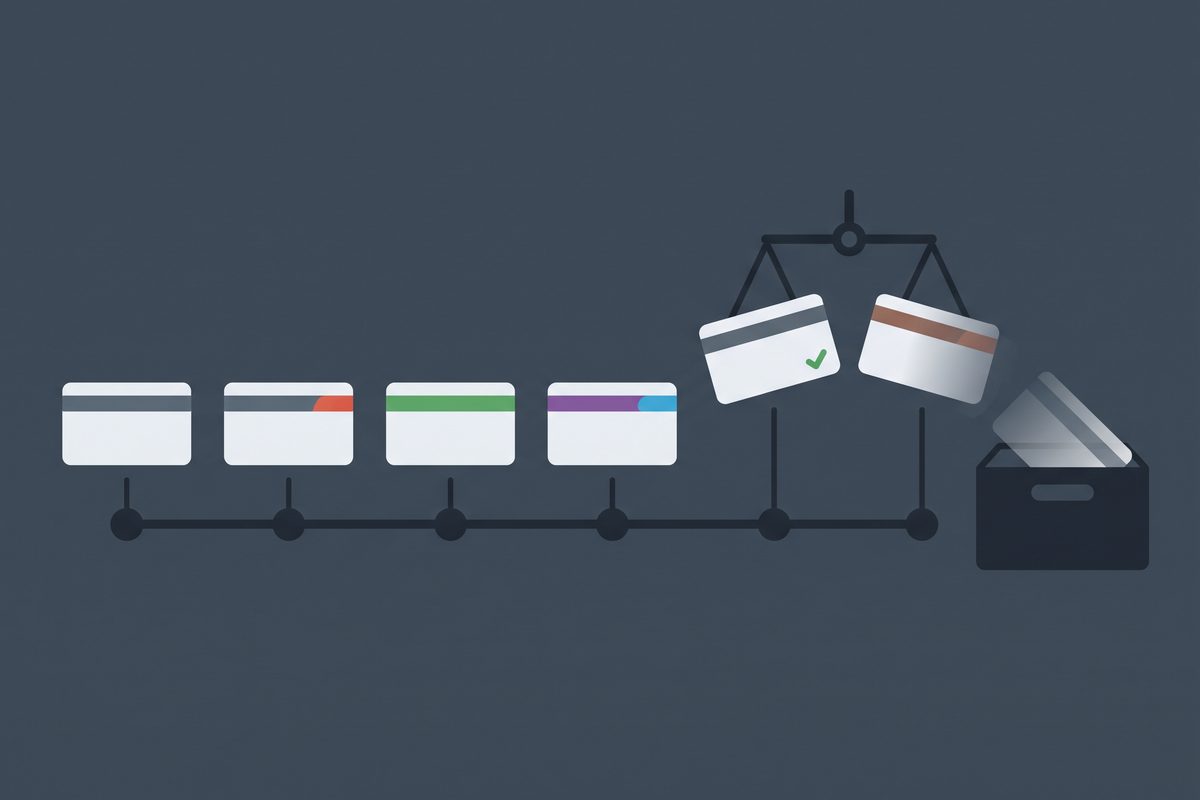
- Keep one master file you own: a Google Doc, a Notion page or a Markdown file in a synced folder. If you are picking between the last two, Notion vs Obsidian for solopreneurs covers the trade-off. Assistant features hold copies, never the original.
- Give each prompt a header: ID (P07), job, business, version (v1, v2), date last tested, and one line on what “good output” looks like.
- Save one fixed test input under each prompt: a real sales page, a real transcript, a real batch of support questions. Without it you cannot tell whether an edit made the prompt better.
- Change one thing per version, and write a one-line changelog entry under the prompt: “v3, 2026-10-19: added ‘do not cite competitor prices’.”
- Before replacing a version, run prompt 24 with the old version, the new one and the test input. Keep the winner, move the loser to an archive section at the bottom.
- In Google Docs, name the version of the file each time you change a prompt. Named versions are not merged with others, and a document can hold up to 40 of them. Restoring an earlier one takes two clicks from the version history panel.
- Once a month, archive any prompt you have not run in 30 days. The library should shrink as often as it grows.
The fixed test input is the step people skip and the one that matters most. Models change under you. A prompt that worked in spring can drift by autumn, and a saved test input is how you notice.
What to leave out of your library
Some jobs should not get a reusable prompt at all.
Leave out anything that sets a price on the spot, promises a refund or a date, or answers a legal question. A saved prompt makes those decisions feel routine, and they are not. Prompts 2 and 6 handle prices and policies on purpose: they argue options and flag gaps, and you decide.
Leave out prompts copied whole from a pack. If you cannot say which weekly job a prompt serves, it is clutter. Rewrite it around one of your jobs or delete it.
Start today: open a new doc, write the context block for your main business, and paste in the three prompts from the job you will do this week. Run one of them before you add a fourth.
Frequently asked questions
Are paid prompt packs worth buying?
Usually not for a one-person business. Most packs sort prompts by topic, not by the jobs you actually do this week, and a big pack mostly gets skimmed once. A short library you wrote around your own offers, with a context block and a fixed test input for each prompt, will get used. Start with the 24 here and delete the ones you never run.
Do the same prompts work in Claude, ChatGPT and Gemini?
Yes, if the prompt is plain text with the context pasted in. The differences are in where you save it: Claude has Projects and Skills, ChatGPT has Projects, and Gemini has Gems, which Google is converting to skills on personal accounts. Keep the master copy outside all three so a product change never costs you a prompt.
What happens to my custom GPTs?
OpenAI's help center says custom GPTs are scheduled to be retired on December 11, 2026, with a migration flow to plugins. During migration the GPT's instructions become a skill and its knowledge files are copied over, but custom actions do not transfer. Personal ChatGPT accounts can already no longer create new GPTs. Copy your instructions into your own file now.
How many prompts should a solo prompt library have?
Fewer than you think. One context block per business plus three prompts per job you do every week is plenty. A prompt you have not run in a month is a candidate for the archive section. The value is in the prompts you trust enough to reuse without rereading, not in the count.
Sources
- What are projects? — Claude Help Center
- Understanding Claude's personalization features — Claude Help Center
- What are skills? — Claude Help Center
- Projects in ChatGPT — OpenAI Help Center
- Creating and editing GPTs — OpenAI Help Center
- Custom GPT retirement and migration FAQ — OpenAI Help Center
- Moving your custom GPT workflows to plugins — ChatGPT docs
- Use Gems in Gemini Apps — Gemini Apps Help
- Gemini Gems to skills transition guide — Google
- Version history in Google Docs Editors — Google Docs Help
This article is general information based on the author's experience. It is not licensed financial, legal, or tax advice. See the editorial policy.