How to Promote an App With No Budget: What I'm Doing Right Now
A solo developer's zero-budget app promotion plan: which free channels compound, a store-listing checklist from Apple and Google's docs, and a 30-day calendar.

You shipped an app, or you are a week from shipping one, and the ad budget is zero. I am in the same spot: I built and shipped my own app and I am running cold outreach for it right now. So this is not a list of 30 ideas. It is the short list of free channels I judged worth my hours, the store-listing rules I checked against Apple’s and Google’s own documents, and the 30-day calendar I am working from. You will leave knowing which channels keep producing after you stop pushing, and what to measure when there is no ad spend to measure.
“Free” still costs $99 a year on iOS and $25 once on Android
The Apple Developer Program is 99 USD per membership year. Google Play charges a one-time 25 USD registration fee. As of September 2026 those are the only unavoidable costs of distributing an app to the two stores, and every channel below assumes you have already paid them.
One more thing catches new Android developers. A personal Google Play account created after November 2023 has to run a closed test with at least 12 testers opted in continuously for 14 days before it can apply for production access. If you are not live on Play yet, that fortnight is your week-zero task, and the testers you recruit for it are your first outreach list.
After the fees, the budget is time. So this article prices channels in hours a week and in one more column most guides skip: does the channel keep working after you stop feeding it?
I care about that column because of an ebook I sold. It moved while I paid for ads. The day I paused the ads, orders went to zero, not down, zero, and I eventually shut it down. I wrote up the whole failure here. The lesson I carried into the app is that a channel which stops the moment you stop is a rental, and with no budget you cannot afford rentals.
Which free channels are worth your hours
The table below is my operating judgment after sorting every free tactic the top guides list into nine channels. The hours and timing cells are estimates for one person, not measured data. The rule column is sourced.
| Channel | Hours per week to run | Time to first signal | Compounds after you stop? | Shape | The rule that gets people banned |
|---|---|---|---|---|---|
| Store listing (name, subtitle, keywords, screenshots) | 3–4 once, then 1 | Days, in your console | Yes, while the app stays listed | Always on | No trademarked terms, other apps’ names, prices, or unverifiable claims in Apple metadata; no emoji, all caps, “#1” or “best” claims in Play titles |
| An audience you already own (newsletter, video channel, social account) | 0 extra if it exists; 5+ to build | Same day if it exists; months if not | Yes | Repeatable | Platform self-promotion rules; disclose if you were given anything to promote |
| One-to-one outreach to creators and community owners | 3–5 | 2–6 weeks | Slowly, each yes keeps referring | Repeatable | CAN-SPAM applies to every commercial email, business-to-business included |
| Reddit, Hacker News, niche forum post | 4 to prepare, 1 day to attend | 48 hours | No | One-shot per community | Subreddit self-promotion rules; Hacker News site guidelines |
| Product Hunt and launch boards | 6–8 to prepare, 1 day to attend | 24–48 hours | No, beyond a backlink | One-shot | Board rules on asking for upvotes |
| Short-form video (Shorts, Reels, TikTok) | 4–6 | 2–8 weeks | Partly; old clips keep surfacing | Repeatable | Platform rules; disclosure if sponsored |
| In-app share and referral prompt | 6–10 once to build | After you have users | Yes, scales with users | Always on | Cannot gate features behind rating or sharing on iOS |
| Press and review-site pitch | 2–3 | 1–4 weeks, often never | Yes, an article ranks for years | Repeatable | None beyond honesty |
| Apple featuring nomination | 1 once | 2 weeks to 3 months | If featured, briefly | Repeatable per launch | Nomination only; no way to pay for it |
Three judgments fall out of the table.
Start with the two “always on” rows. The store listing and the in-app share prompt are the only channels that work while you sleep, and the listing costs an afternoon.
If you already have an audience, use it before anything else. I grew a video channel past 130,000 subscribers alone, and the uncomfortable truth is that a single mention to people who already trust you outperforms a month of cold messages. If you do not have one, the 30-day plan below does not tell you to build one first, because that takes longer than 30 days, but every week of it includes one public post so the audience starts accumulating.
Treat Reddit, Hacker News, and Product Hunt as events, not channels. They give you one good day per community, so spend the preparation hours and then move on.
Fix the store listing first (it is the only channel that never sleeps)
Every guide says “optimize your listing.” None of them tells you the field limits or the policy lines that get listings rejected. This is the checklist I ran against my app, built from the documents themselves and collected on 2026-09-07.
App Store listing checklist (Apple)
- App name: 30 characters maximum. Pick a unique name; do not pack it with popular app names, trademarked terms, or pricing.
- Subtitle: follows the same metadata rules, must not reference other apps or make claims you cannot verify.
- Keywords field: up to 100 bytes, each keyword longer than two characters, and it must not repeat your app or company name or contain other apps’ or companies’ names.
- Promotional text: 170 characters, editable without a new build. Use it for what changed this month.
- Description: 4,000 characters, plain text only. The first lines are all most people see.
- Support URL: required, must lead to real contact information.
- What’s New: 4,000 characters, required from the second version on.
- Screenshots: required. Show the outcome the user gets, not the settings screen.
Google Play listing checklist
- App name: 30 characters or fewer.
- Short description: 80 characters; it is the first text users see on the detail page.
- Full description: 4,000 characters.
- No emoji, emoticons, or repeated special characters in the title, icon, or descriptions; no all caps unless it is your brand name.
- No performance or ranking claims such as “#1,” “Best of Play,” “App of the year,” or award icons; no price or promo text like “free for a limited time”.
- No unattributed or anonymous testimonials in the description, and no repetitive or unrelated keywords.
Read the two lists together and a pattern shows: the stores are pushing everyone toward plain, specific, verifiable language. That is the same language that reads as human, and everything in how to make AI writing sound human applies word for word to store copy.
Asking for ratings without breaking the rules
Ratings are free promotion, and both stores have rules on how you ask.
On iOS, the system review prompt appears at most three times per user in a 365-day period, and the user can switch review requests off for every app on the device. Apple’s own guidance is to ask after someone completes something, never at launch, and never as the direct result of a tap. Apps may not force users to rate or review in order to reach functionality, and attempts to manipulate reviews or inflate rankings with paid, incentivized, or fake feedback can end with expulsion from the Developer Program.
On Android, the in-app review card runs under a time-bound quota whose value Google does not publish, so calling it twice in a month may show nothing the second time. You cannot ask any question before the card, including “Do you like the app?” or “Would you rate us 5 stars?”. Google Play’s policy separately bans offering discounts or rewards for ratings and bans encouraging reviews that contain coupons, links, or email addresses.
The FTC adds one more line: asking only the customers you think are happy is misleading if it skews the reviews, and you cannot tie an incentive to a positive review. My rule is one prompt, after a real win inside the app, no questions before it, no rewards after it.
The outreach I am running for my own app right now
I am sending individual messages to creators and community owners whose audience already has the problem my app solves, one message at a time, and I have no results to report yet. I am writing this while the experiment is live, so I can tell you what I am doing and why, not what it produced.
Why outreach rather than another Reddit post? Because it compounds through relationships instead of algorithms. A creator who tries the app and likes it keeps mentioning it. A forum post is gone in two days.
The message pattern I use has five lines and never runs longer than the phone screen it will be read on:
Line 1 — Who I am, in one clause. ("I'm a solo developer who ships one app at a time.")
Line 2 — Why this person, with one specific detail from their recent work. Not "love your content."
Line 3 — What the app does, in one sentence, in the words their audience uses.
Line 4 — The ask, sized small: try it for a week; if it earns a mention, great; if not, tell me what missed.
Line 5 — The easy out: "If this isn't for you, no reply needed," plus a real way to say never again.
The rules I set for myself:
- One personal detail per message, written by me, or the message does not go out. Bulk sends are what “no budget” outreach turns into when it is tired, and they are also what the platforms and the FTC define as spam.
- CAN-SPAM covers commercial email regardless of who receives it; there is no business-to-business exception. That means truthful header and subject line, a physical address, a working opt-out that is honored promptly, and each violating email can cost up to 53,088 USD. So an address and an opt-out line go into every message, even a one-to-one one.
- If a creator gets free access to a paid tier in exchange for a post, they have to disclose it, because the FTC treats a free product given with the expectation of promotion as a material connection. I tell them that in the first message so nobody is surprised.
- One follow-up, a week later, then I stop.
What I am measuring, and why there are no numbers yet
The sheet has six columns: date sent, who, channel (email or DM), replied, said yes, installs attributed.
Reply rate tells me whether the message pattern works. Yes rate tells me whether the ask is sized right. Installs tell me whether the audience was the right one, and that column is the only one I cannot fill by hand, so I wired the free attribution both stores provide before I sent anything.
On iOS that is a campaign link from App Store Connect. You create it under Analytics, Acquisition, Campaigns; it carries a provider token that identifies your account and a campaign token you create per campaign, and it counts a first-time download when the user installs within 24 hours of clicking. Two limits matter for a small launch: a campaign shows data only once at least five individual users have downloaded through it, and the feature is available only after the app has received analytics data. So the plan is one link per creator, and most rows will read zero for a while.
On Android, Play Console’s acquisition report has a “Tracked channels (UTM)” row that counts unique visitors to the store listing who arrived from a UTM-tagged link. Same idea, one tag per person I contact.
I will publish the numbers when there are enough of them to mean something. Right now the honest state is: messages out, sheet open, columns mostly empty.
A 30-day plan when the budget is zero
This is the calendar I am running. It assumes the app is already approved on at least one store; if you are waiting on Google’s 14-day closed test, run week one during it.
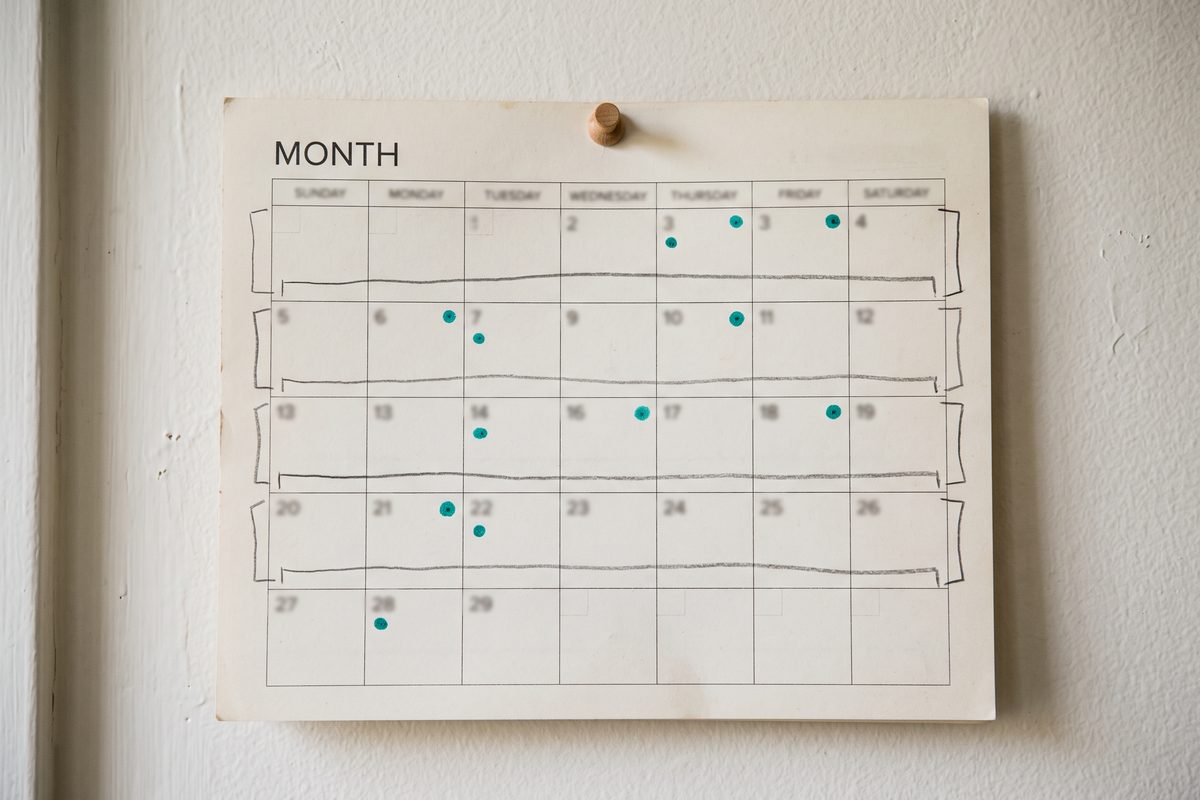
Week 1 — Listing and plumbing (about 8 hours)
- Run both listing checklists above. Rewrite the name, subtitle or short description, and the first three lines of the description in plain, specific language.
- Replace any screenshot that shows settings with one that shows the result.
- Create your App Store Connect campaign links and your Play UTM links, one per channel you plan to use.
- Build the six-column outreach sheet. Write the five-line message once and save it as a pattern, not a paste.
- Day 7 checkpoint: product page views in each console. That is your baseline.
Week 2 — Own audience and the featuring nomination (about 6 hours)
- Tell the people who already know you: newsletter, your accounts, your existing users. One honest post that says what the app does and who it is not for.
- Submit a featuring nomination in App Store Connect. Apple asks for at least two weeks’ notice and up to three months for wider consideration, so the nomination you file today is for next month’s update, not this week’s.
- Ship the in-app share prompt if you have one; if not, decide whether it is a week-4 build.
- Day 14 checkpoint: installs attributed to your own audience versus everything else. If this is the only channel producing, that is information, not failure.
Week 3 — The one-day events (about 10 hours)
- Pick two communities, not five. Read their self-promotion rules. Spend a few days participating before you post anything about the app.
- Prepare the post like a product page: what problem, for whom, one screenshot, one honest limitation. Block the whole day to answer comments.
- If you are doing Product Hunt, do it this week, after the listing is fixed, never before.
- Day 21 checkpoint: the spike, and more usefully, what the comments said was missing.
Week 4 — Outreach cadence and the read (about 8 hours)
- Send five individual messages a day, each with its own campaign link. Log every one.
- Send the single follow-up to week-3 non-responders. Then stop.
- Day 30 checkpoint: fill every column and read the sheet.
When to stop, when to keep going
The day-30 read has three common shapes, and each one points at a different fix.
If product page views rose but installs did not, the listing is losing people at the last step. No channel fixes that; go back to screenshots and the first three lines.
If replies came but nobody said yes, the ask is too big or the audience is wrong. Shrink the ask before you widen the list.
If installs came only from the audience you already had, you have learned the same lesson my ebook taught me from the other side: the audience is the asset, and the app is one thing you offer it. Keep the outreach going at a lower cadence and spend the recovered hours making one public thing a week.
I will update this post when my own columns are full enough to be honest about. More on launching without a budget lives in the launch and growth section.
Tonight, before you send a single message, run the two listing checklists and create your first two campaign links. Everything else in this plan is measured against them.
Frequently asked questions
Can you promote an app with literally no money?
The promotion can be free; the distribution is not quite. Apple charges 99 USD per membership year for the Developer Program and Google Play charges a one-time 25 USD registration fee, as of September 2026. Everything after that in this article costs hours, not dollars.
How long until free promotion shows results?
Store-listing changes are visible in your console within days. A post on Reddit, Hacker News, or Product Hunt shows everything it will ever show within about 48 hours. Outreach and your own audience take weeks before the first install, which is why the 30-day plan puts measurement plumbing in week one.
Is Product Hunt still worth it in 2026?
As a one-day event, yes, if the listing and the landing page are ready and you can sit in the comments all day. As a growth channel, no. Treat it like a launch party: it produces a spike, a few backlinks, and feedback, then goes quiet.
Can I ask users for a five-star rating?
You can ask for a rating; you cannot ask for a five-star one. Apple limits the system prompt to three requests per user per 365 days and bans forcing or incentivizing reviews. Google Play says not to ask any question before the review card, not to reward ratings, and it enforces an undisclosed quota on how often the card appears.
How do I know which channel an install came from without paid tools?
Both consoles have it built in. App Store Connect campaign links carry a provider token and a campaign token and report first-time downloads within 24 hours of a click, once at least five users have downloaded. Play Console's acquisition reports break out visitors who arrived from UTM-tagged links.
Sources
- Apple Developer Program — What's included (membership fee)
- Google Play Console Help — Register for a Google Play Developer account
- Google Play Console Help — App testing requirements for new personal developer accounts
- App Store Connect Help — Platform version information (field limits)
- Apple — App Review Guidelines
- Google Play Console Help — Create and set up your app (store listing limits)
- Google Play Console Help — Add preview assets (short description)
- Google Play Developer Policy — Metadata
- Apple — Ratings, Reviews, and Responses
- Apple Developer Documentation — Requesting App Store reviews
- Android Developers — In-app reviews (design guidelines and quotas)
- Google Play Developer Policy — User Ratings, Reviews, and Installs
- FTC — The FTC's Endorsement Guides: What People Are Asking
- FTC — CAN-SPAM Act: A Compliance Guide for Business
- App Store Connect Help — Manage campaigns (campaign links)
- Google Play Console Help — View app acquisition data
- Apple — Getting featured on the App Store
This article is general information based on the author's experience. It is not licensed financial, legal, or tax advice. See the editorial policy.