Best Podcast Editing Software (2026): 10 Editors Compared
Podcast editing software for Mac, Windows and free, as of October 2026: Descript, Riverside, Audacity, GarageBand and six more, with prices and plan caps.

This post contains affiliate links. If you sign up through them, Solo Ops Lab may earn a commission at no extra cost to you. It does not change what we recommend; see the editorial policy.
Disclosure: the two Descript links on this page are affiliate links. They do not change where Descript lands in either table.
You have an hour of raw conversation, a mic that caught the fridge, and a stack of “best podcast editor” lists quoting prices from two years ago. This guide picks an editor by the setup you actually have (solo mic, remote guest, video podcast, or no budget at all), using prices and plan limits read off each vendor’s own page on October 19, 2026. By the end you will know which app to install, which plan to pay for if any, and the export setting that keeps your episodes from playing quieter than everything else in Apple Podcasts.
What is the best podcast editing software? The quick answer
For a solo talk show, Descript is the easiest place to start because you edit the transcript instead of the waveform; with no budget, use Audacity on any computer or GarageBand on a Mac. The table below is the short version, with prices as of October 2026 taken from each vendor’s pricing page on October 19.
| Tool | Best for | Free plan | First paid plan price | Key limit |
|---|---|---|---|---|
| Descript | Solo talk shows, cutting by deleting words | Yes: 1 media hour a month, 720p, watermark | Hobbyist $16/mo billed annually ($24 monthly) | 10 media hours a month on Hobbyist |
| Riverside | Remote guests and video podcasts | Yes: 2 hours of recording (one-off), 720p, watermark | Pro $24/mo billed annually ($29 monthly) | 15 hours of separate-track downloads on Pro |
| Audacity | Free editing on Windows, macOS or Linux | Fully free, open source | None | No transcript editing; loudness default is -23 LUFS |
| GarageBand | Free editing on a Mac | Fully free | None; Logic Pro ($199.99 once) is the step up | Apple devices only; no transcript editing |
| Adobe Podcast | Free cleanup with Enhance Speech | Yes: 30-minute projects, 2 downloads a day | Premium, via Adobe Firefly Pro (price not on the Podcast page) | Free Enhance Speech: 1 hour a day |
| Alitu | Hands-off editing with automatic leveling | 7-day trial | $38/mo, or 2 months free billed annually | Little manual control over the sound |
| Hindenburg PRO | Scripted and narrative shows | 30-day trial, no card | Standard (price not shown in page text) | No transcription on Standard |
Adobe Audition and REAPER are for people who already know a multitrack editor. If that isn’t you, start with a row above.
How do the 10 podcast editors compare on price and limits?
Audacity and GarageBand are the only full editors here with no cap at all; every other tool meters media hours, downloads or transcription. Every cell below comes from the vendor’s pricing, product or help page on October 19, 2026. Where a vendor sells annual and monthly billing, both prices are shown, because the big number on a pricing page is almost always the annual one.

| Editor | Price (as of October 2026) | Free tier or trial | Edit by transcript | The limit that makes you pay | Runs on |
|---|---|---|---|---|---|
| Descript | Hobbyist $16/mo annual or $24 monthly; Creator $24 annual or $35 monthly | Free plan: 1 media hour a month, 720p export with watermark | Yes | Media hours: 10 a month on Hobbyist, 30 on Creator | Mac, Windows |
| Riverside | Pro $24/mo annual ($288) or $29 monthly; Grow $34 annual or $39 monthly | Free plan: 2 hours of multitrack recording (one-off), 720p, watermark | Yes (unlimited on Pro) | Separate-track downloads: 15 hours on Pro, 20 on Grow | Browser, Mac app, mobile apps |
| Alitu | $38/mo; annual billing gives 2 months free | 7-day trial | Yes, or a simple waveform | None stated | Web app |
| Hindenburg PRO | Standard, Plus, Premium; monthly, yearly or perpetual (prices not shown in page text) | 30-day trial with 30 hours of transcription, no payment details | Yes, on tiers with transcription hours | Transcription: none on Standard, 20 hrs/mo Plus, 50 Premium | Windows 11+, macOS 13+ on Apple silicon |
| Adobe Podcast | Free; Premium comes with Adobe Firefly Pro (price not shown on the Podcast page) | Free: Studio downloads up to 30 min, 2 projects a day | Yes, both plans | Free Enhance Speech: 30-min files, 1 hour a day | Browser |
| Audacity | Free, open source | Fully free | No | None | Windows, macOS, Linux |
| GarageBand | Free | Fully free | No | None | Mac (macOS 15.6+), iPhone and iPad version |
| Logic Pro | $199.99 one time, or Apple Creator Studio at $12.99/mo or $129/yr | Creator Studio: 1 month free | No | None | Mac; iPad via Creator Studio |
| Adobe Audition | US$22.99/mo on the annual plan, billed monthly | Free trial (length not stated) | No | None | Windows 11, macOS 14+ |
| REAPER | $60 discounted license or $225 commercial | 60-day full evaluation | No | Revenue: the $60 license stops at $20,000 a year | Windows, macOS, Linux |
Two readings of this table matter more than any single price. First, the free plans of the transcript editors are trials in disguise: Descript’s free tier holds one hour of media a month and Riverside’s free recording allowance is a one-off two hours. Second, the free waveform editors have no meter running at all: no media hours, no download allowance. You pay in learning time instead.
Which editor for which solo setup
On a Mac, GarageBand is the free starting point and Descript the easiest paid one; on Windows or Linux with no budget, use Audacity. Match your row, then read only that tool’s notes further down.
| Your setup | Pick | Runner-up | Why |
|---|---|---|---|
| Solo mic, talk show, want speed | Descript Hobbyist | Adobe Podcast (free) | Cutting by deleting words is the fastest way through an hour of talk; 10 media hours covers a weekly hour-long show |
| Solo mic, no budget, Windows or Linux | Audacity | REAPER | Free on every desktop system; change one loudness default and it is ready. REAPER is the paid step up after its 60-day evaluation |
| Solo mic, no budget, Mac | GarageBand | Audacity | Free on the Mac App Store; Logic Pro is Apple’s paid step up when you outgrow it |
| Weekly interview with a remote guest | Riverside Pro | Descript Hobbyist | Records each person locally on separate tracks, then edits from the transcript in the same place |
| Video podcast for YouTube | Riverside Pro | Descript Creator | 4K recording on Pro; Descript needs Creator for 4K export |
| You already edit video in Final Cut | Final Cut Pro, plus Logic via Creator Studio | Descript Hobbyist | You know the timeline already; $12.99 a month covers both apps |
| Scripted or narrative show | Hindenburg PRO Plus | Adobe Audition | Built for spoken word, with 20 transcription hours a month |
| You never want to touch a waveform | Alitu | Descript | Noise removal, leveling and loudness happen without you |
Which is easier to learn: transcript editing or a waveform?
Transcript editing is easier for a talk show, because cutting a sentence means highlighting text and pressing delete. Every tool here falls on one side of a line. On one side you edit a document: the app transcribes the episode, you highlight a rambling sentence, press delete, and the audio under it disappears. On the other side you edit sound: you look at a waveform, find the cough by its shape, and cut it with a razor tool.
Transcript editing wins for talk. If your show is two people talking for an hour, most of the work is removing sentences, false starts and filler, and reading is faster than listening.
It loses when sound is the point. Music beds that need to duck under a voice, a narrative episode built from field tape, a cold open timed to a beat: those are waveform jobs, and Audition, Logic or Hindenburg handle them better than any transcript.
If you can’t decide, pick by the show you’ll make in month three, not episode one. Talk shows stay talk shows.
The transcript editors
Five of the ten let you cut by editing text, and they differ mostly in what they meter: media hours, downloads or transcription time.
Descript
Descript transcribes your recording and lets you edit it like a doc; deleting text makes the cut. Studio Sound and filler-word removal are included on Hobbyist and above, and limited on the free plan. Remote recording happens in Descript Rooms, with 5 hours a month on Hobbyist. Transcription covers 25 languages.
The number to plan around is media hours, which count uploaded and recorded media. A weekly show with 60-minute raw recordings uses roughly 4 to 5 hours a month, which fits Hobbyist’s 10. If you upload each speaker as a separate file, budget as if each file counts. Hobbyist exports at 1080p; 4K needs Creator.
For a solo host whose episodes are mostly talk, Descript is the one to try first. Its desktop app needs macOS 14 or Windows 11.
Riverside
Riverside starts from recording. It captures up to 4K video and uncompressed audio locally on separate tracks, so a guest’s shaky internet doesn’t wreck the file. Editing happens in a text-based editor where you search, cut and paste in the transcript, and Pro lists unlimited text-based editing and transcriptions.
The free plan gives 2 hours of multitrack recording once, at up to 720p, with a Riverside watermark. Pro allows 15 hours of separate-track downloads, Grow 20. If you only need the raw tracks to edit elsewhere, that download allowance is the cap you’ll feel.
Alitu
Alitu is the hands-off option. It removes background noise automatically, handles leveling and loudness, offers editing “with text or a simple waveform,” and makes transcripts in 17 languages. It also records calls through a private studio link and hosts up to 1,000 downloads a month for free.
The price is $38 a month, with a 7-day trial and no contract. That buys time back, not control. If you like adjusting EQ by ear, you’ll find the walls quickly.
Hindenburg PRO
Hindenburg is built for radio-style spoken word: it sets levels on import, offers “broadcast-ready” loudness, records Zoom and Google Meet calls, and lets you rough-cut in text. Transcription is metered by tier: none listed on Standard, 20 hours a month on Plus, 50 on Premium. So the cheapest tier is not a transcript editor.
On a Mac it requires Apple silicon (M1 or newer) and macOS 13 or later; on Windows, Windows 11. The 30-day trial includes 30 hours of transcription and asks for no payment details. The plan grid didn’t render prices in text when checked, so confirm the number on the buy page.
Adobe Podcast
Adobe Podcast runs in the browser. Its free plan includes transcription-based editing in Studio, with downloads capped at 30 minutes and 2 projects a day, plus Enhance Speech for files up to 30 minutes and 1 hour of processing a day. Premium raises Enhance Speech to 4 hours a day and 2-hour files, and is bundled with Adobe Firefly Pro.
Use it as the free first step: run a rough recording through Enhance Speech, then edit wherever you like.
The waveform editors
Audacity, GarageBand, Logic Pro, Audition and REAPER edit on a timeline with no transcript, and the first two cost nothing.
Audacity
Audacity is free, open source and runs on Windows, macOS and Linux. Its Noise Reduction effect is made for steady background sound such as hum, buzz and hiss, and the manual says it is not suited to irregular noise like traffic. So the fridge is fixable; the street outside mostly isn’t. What Audacity won’t do is make decisions for you.
One default to change on day one: its Loudness Normalization effect targets -23 LUFS out of the box. More on why that matters in the loudness section.
GarageBand
GarageBand is free on the Mac App Store and needs macOS 15.6 or later. It handles up to 255 audio tracks, far more than any solo show will use. It’s a music app first, so expect to ignore half the interface. For a one-mic show on a Mac, that’s a fine trade for $0.
Logic Pro and Apple Creator Studio
Logic Pro is $199.99 as a one-time purchase. The newer option: Apple Creator Studio bundles Logic Pro, Final Cut Pro, Pixelmator Pro, Motion, Compressor and MainStage for $12.99 a month or $129 a year, with one month free, and the one-time purchases are still sold. Logic has no transcript editing on Apple’s page. Buy it when GarageBand feels small, not before.
Adobe Audition
Audition is US$22.99 a month on the annual plan billed monthly. It offers multitrack, waveform and spectral views and an Essential Sound panel, and its Match Loudness panel can scan files and correct them to a loudness standard. It’s the right tool if you already pay for Creative Cloud. For a beginner paying for it alone, Descript or Hindenburg will get episodes out faster.
REAPER
REAPER gives you 60 days of full-featured evaluation, then costs $60 for the discounted license. Read the terms: the discounted license applies to personal use or where yearly gross revenue doesn’t exceed $20,000, and the commercial license is $225. A show that earns real sponsor money should budget for the higher one. It runs on Windows, macOS and Linux.
Already cutting video in Final Cut? Start there
If you already edit video in Final Cut, use it for a video podcast before you add another app. I shot, edited and uploaded my own videos alone, and Final Cut is where that work happened. So if a video podcast were on my list, I wouldn’t open a new app first. A video podcast is a long video edit with fewer cuts, and the timeline I already know handles it.
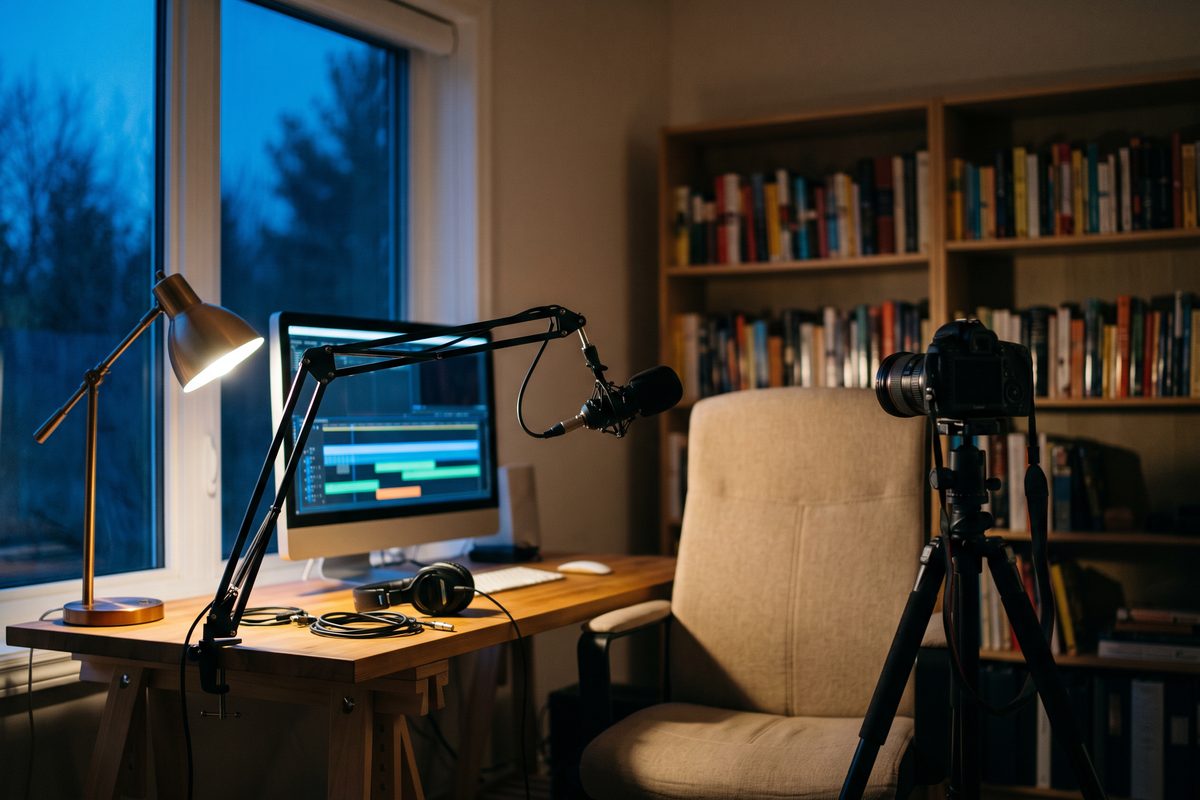
The slow part of a long talking take in any timeline editor is finding the sentence you want to remove: scrub, listen, scrub again. Final Cut’s Transcript Search attacks exactly that. Apple says it finds spoken phrases by exact match or related words, and it needs an Apple silicon Mac and U.S. English. Final Cut also generates captions from the spoken audio and has a speech cleanup that removes background noise.
What Apple describes is search, not editing by deleting text. If cutting by transcript is the whole point for you, Descript is still the better fit, and our video editing software comparison shows how it stacks up against Final Cut for a solo channel. If the episode includes screen demos, the screen recording comparison covers capture.
What loudness should you export a podcast at?
Export at -16 LUFS integrated with a true peak no higher than -1 dBFS, the target Apple Podcasts publishes. Most editors don’t default to it.
| Destination or tool | What the official page says |
|---|---|
| Apple Podcasts (target) | Overall loudness around -16 LKFS (same scale as LUFS) with ±1 dB tolerance; true peak not above -1 dBFS; measured per ITU-R BS.1770-5; done before encoding |
| Audacity | Loudness Normalization, perceived-loudness mode, defaults to -23 LUFS (the EBU standard) |
| Riverside | Export toggle normalizes speakers to -23 LUFS (EBU R 128); unavailable while Magic Audio is on |
| Descript | Local export “Normalize volume” offers Off, Peak, -14, -16, -18, -23 or -24 LUFS; auto-leveling nudges clips to about -16 dB and is on by default |
| Adobe Audition | Match Loudness presets include EBU R128 (-23 LUFS) and ATSC A/85 (-24 LUFS); loudness, true peak and tolerance are adjustable |
| Hindenburg PRO | “Broadcast-ready” loudness, publish to multiple loudness targets |
| Alitu | Loudness set automatically for a standard export volume |
Notice the problem. Two popular tools default to -23 LUFS, about 7 dB below Apple’s -16 target. An episode normalized that way will sound noticeably quieter than the show a listener heard right before yours.
The export checklist, whatever editor you use:
- Set the target to -16 LUFS integrated with true peak at -1 dB, and apply it before encoding to MP3 or AAC.
- In Audacity, change the -23 default to -16. In Descript, pick -16 LUFS in Normalize volume.
- In Riverside, the toggle gives you -23; set the level in another editor, or measure the export before you publish.
- For a stereo MP3, Apple recommends 128 to 256 kbps at 44.1 or 48 kHz; for RSS feeds it recommends AAC over MP3.
- Measure one finished file before your first upload, then keep the same settings.
If you also need a transcript or show notes outside your editor, our AI transcription tools comparison covers the standalone options. More solo tool picks live in the tool stack category.
Pick the row in the setup table that matches you, install that one editor (free or on trial), and edit one real episode start to finish, including the -16 LUFS export, before you pay for a plan.
Frequently asked questions
What is the best free podcast editing software?
Audacity, if you want a full editor at no cost: it is free, open source and runs on Windows, macOS and Linux. On a Mac, GarageBand is also free. For free transcript editing, Adobe Podcast's browser Studio works with limits (downloads up to 30 minutes, 2 projects a day). Descript's and Riverside's free plans are better treated as trials: 1 media hour a month, and a one-off 2 hours of recording at 720p with a watermark.
Is Descript worth paying for on a solo podcast?
If your show is mostly talk and you would rather read than scrub a waveform, usually yes. As of October 2026, Hobbyist is $16 a month billed annually or $24 monthly and includes 10 media hours, enough for a weekly hour-long show. If your episodes depend on music beds or sound design, a waveform editor such as Audition, Logic Pro or Hindenburg is the better fit.
Does Riverside edit podcasts, or only record them?
Both. Riverside records each participant locally on separate tracks, then lets you search, cut and paste inside the transcript in its text-based editor. The Pro plan lists unlimited text-based editing and transcriptions. One catch: its export normalization targets -23 LUFS, quieter than the -16 that Apple Podcasts asks for.
How loud should a podcast episode be for Apple Podcasts?
Apple's audio requirements ask for overall loudness around -16 LKFS (the same scale as LUFS) with a tolerance of plus or minus 1 dB, and a true peak no higher than -1 dBFS, applied before encoding. Audacity's loudness effect and Riverside's export toggle both default to -23 LUFS, so change the target or measure the file before you upload.
Is GarageBand good enough for editing a podcast?
For a one-mic show on a Mac, yes. It is free, handles up to 255 audio tracks and covers cutting and basic cleanup. It has no transcript editing and is built around music, so expect to ignore much of the interface. When it feels small, Logic Pro is $199.99 once or part of Apple Creator Studio at $12.99 a month.
Sources
- Descript — Pricing
- Descript — Podcasting
- Descript — Download
- Descript Help — Export an audio file
- Descript Help — Auto-leveling
- Riverside — Pricing
- Riverside — Home
- Riverside Help — Normalize audio levels in the editor
- Alitu — Pricing
- Alitu — Home
- Hindenburg — Hindenburg PRO for radio and podcast
- Hindenburg — PRO system specs
- Hindenburg — Trial
- Adobe Podcast — Features (Free vs Premium)
- Adobe Podcast — Premium plan
- Audacity — Official site
- Audacity Manual — Loudness Normalization
- Audacity Manual — Noise Reduction
- Mac App Store — GarageBand
- Apple — GarageBand for Mac
- Apple — Logic Pro
- Apple — Apple Creator Studio
- Apple — Final Cut Pro
- Adobe — Audition
- Adobe Help — Audition system requirements
- Adobe Help — Match loudness in Audition
- REAPER — Purchase
- REAPER — Download
- Apple Podcasts for Creators — Audio requirements
This article is general information based on the author's experience. It is not licensed financial, legal, or tax advice. See the editorial policy.