ChatGPT vs Claude vs Gemini for Solopreneurs: Who Gets What
Five solo-business tasks routed across ChatGPT, Claude and Gemini, plus plan prices and limits copied from the three official pages on September 21, 2026.


You run the whole business yourself, three assistants each want $20 a month, and every comparison tells you the same thing: ChatGPT is broad, Claude writes well, Gemini lives in Google. True, and useless on a Tuesday morning when you have an email to send, a CSV to read and a calendar to fix. This article routes five recurring solo-business tasks to one of the three, says why, and gives you a plan, price and limits table copied from the three vendors’ own pages on September 21, 2026.
One disclosure before the table. I run my day on Claude, GPT and an open-weights model called Hermes, with Google Calendar as the hub. I do not use Gemini daily. Everything I say about Gemini below comes from Google’s pricing and help pages, not from my own sessions, and I have marked it that way.
Five solo-business tasks, three assistants
A team can give each department its own tool. One person cannot, because the cost of three tabs is not $60. It is the ten seconds of deciding, forty times a day. So the useful question is a routing rule: this kind of job goes here, that kind goes there, and I stop thinking about it.
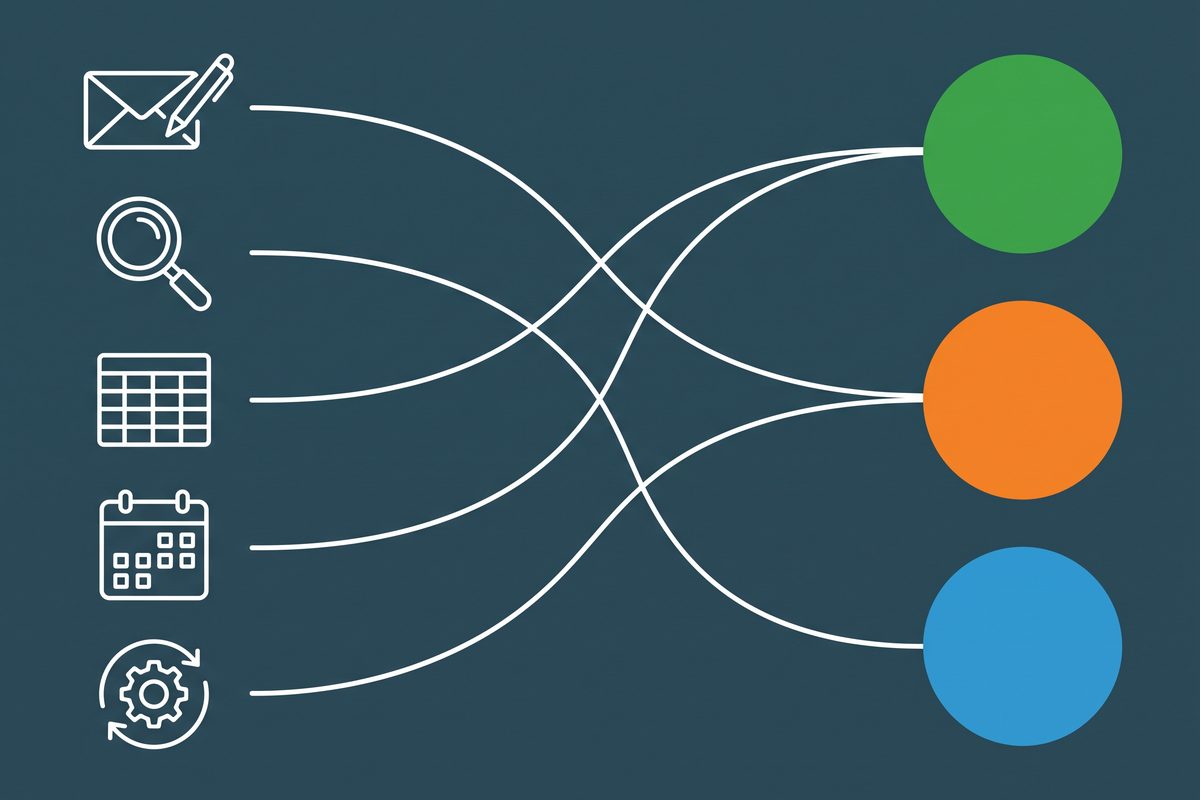
The table below is my routing rule. It is operating judgment built from daily use of two of these tools and the documentation of the third. It is not a scored test, and no outputs were graded to produce it.
| The task | ChatGPT | Claude | Gemini (per Google’s pages) | Where I send it, and why |
|---|---|---|---|---|
| Writing you sign: outreach emails, product copy, video scripts | Fast, good at variants; needs a voice doc to lose the template shape | Plainer default draft; Projects and Styles hold your voice | Inside Gmail and Docs on Google AI plans | Claude. It is the draft I cut least, and I send these under my name |
| Research before a decision: a competitor’s pricing, a platform’s rules | Deep research, limited on Free | Research on Pro and above; web search on every plan | Deep Research listed on the free plan | Whichever is open, then I click every source. The model matters less than the clicking |
| Spreadsheet or CSV analysis: a sales export, a video analytics dump | Reads .xls, .xlsx, .csv; runs Python; static or interactive charts | File creation and code execution on every plan; Cowork can build Excel files with working formulas | Works in the sheet itself: formulas, pivot tables, charts, conditional formatting | ChatGPT for an exported file. If the data already lives in Google Sheets, Gemini is the one that does not require an export |
| Gmail, Calendar, Drive chores | Google apps cover Gmail, Calendar, Drive, Contacts, Meet | Connectors on all plans: send mail, create events, read Drive files | Native; connected apps summarize mail and create events | Claude first: send-and-create permissions are documented on every plan, and it is where my writing already starts |
| Recurring automation and agent jobs | Scheduled tasks; the agent product was withdrawn | Cowork on paid plans, desktop only | Gemini Spark on AI Pro and Ultra | Small scheduled checks in GPT, multi-step file work in Claude. Nothing customer-facing runs unattended |
Read the last column as a default you are allowed to overrule. The rest of this article is the reasoning behind each row, in the same order.
Writing you put your name on
I have already written the long version of this row. Claude vs ChatGPT for business writing has a decision table for nine writing jobs and a three-prompt test you can run on your own emails, so I will not repeat it here.
The short version for a three-way choice: my outreach emails for the app I am promoting, my product copy and my video scripts start in Claude. Variants, captions and anything that sits next to a generated image go to GPT.
Gemini’s writing advantage is location, not prose. Google lists “Gemini in Gmail, Docs, Vids, and more” under Google AI Pro, and a shorter “Gmail, Vids, and more” under AI Plus. If you write replies inside Gmail all day, drafting where the thread lives saves real steps. If you write in a separate editor anyway, that advantage disappears.
Whichever you choose, the draft is a draft. The editing pass that removes the machine rhythm is its own skill, and I wrote that up in how to make AI writing sound human. If scripts are your main output, the YouTube script workflow walks through that job end to end.
Research before you spend money
All three now ship a long-running research mode. Anthropic puts Research on Pro and higher, with plain web search on every plan including Free. OpenAI’s pricing page gives Free users limited deep research and Pro users the maximum. Google lists Deep Research on the free Gemini plan, with “higher access” on AI Pro.
None of the three vendors publishes how many research runs you get. Not one.
So I would not choose a subscription on this row. I would choose a habit. A research report from any of them is a reading list with a summary on top, and the summary is the part that goes wrong. When I check a platform’s rules before an outreach push, I open the two or three pages the report cites and read the actual sentence. If a claim has no link, I treat it as a rumor.
Where the three differ is in what they can see. Gemini sits on Google Search. Claude and ChatGPT search the web too, and both can also search inside your own Drive once connected. For a solo business, that second kind of research is underrated: “what did I promise this person in March” is a question about your files, not the internet.
Spreadsheets and data
This is the row where the right answer depends on where the numbers already are.
If you export files, ChatGPT’s data analysis is documented clearly. It accepts .xls, .xlsx and .csv, runs Python in a notebook environment with pandas, and produces static or interactive bar, line, pie and scatter charts. OpenAI does not publish a file-size limit on that page; it says limits vary by upload type, model and plan. The Python sandbox cannot call outside websites or APIs, so it analyzes what you upload and nothing else.
Claude’s pricing page lists file creation and code execution on every plan, Free included. On paid plans, Cowork can write Excel files with working formulas straight to a folder on your computer. That is the route when you want a finished file back, not a chart in a chat window.
Gemini in Sheets is a different idea. According to Google’s help page it works inside the spreadsheet: creating tables and formulas, building charts, adding pivot tables, dropdowns and conditional formatting, sorting and filtering. It requires what Google calls an eligible Google Workspace or Google AI plan. Based on the documentation, that is the only option of the three that changes the sheet in place instead of handing you a new file.
My rule: exported file, ChatGPT. Need a finished workbook, Claude. Already living in Google Sheets, read Google’s page and try Gemini there before paying anyone else.
And check the arithmetic on anything you will act on. A wrong total in a confident paragraph is still a wrong total.
Gmail, Calendar and Drive: do you need Gemini?
Every comparison I read says Gemini wins Google Workspace and stops there. One still claims Claude has no Google sync at all. That was true once. It is not what the help centers say today.

Here is what each vendor documents, as of September 21, 2026.
| ChatGPT | Claude | Gemini | |
|---|---|---|---|
| Google services covered | Gmail, Calendar, Drive (Docs, Sheets, Slides), Contacts, Meet, BigQuery | Gmail, Calendar, Drive | Native in Google’s apps; connected apps in the Gemini app |
| Read and write operations “depending on the service”; tasks triggered by new messages | Search, read, draft, send, reply, forward, manage labels | Summarize mail from the Gemini app; Gemini in Gmail on AI Plus and Pro | |
| Calendar | View events and meeting records | Create, update, delete events; find mutual availability; recurring meetings | Create events through connected apps |
| Drive files | Create, update, share, move, upload, copy, delete | Search and read Docs, Sheets, Slides, PDFs, Office files; upload, share, move, trash | Gemini in Docs on AI Pro; Drive, Sheets and Slides on Workspace Business Standard and up |
| Documented limits | Availability depends on plan, region and workspace | Attachment metadata only in Gmail; text only from Drive files, no embedded images, comments or suggestions | Connected apps need Keep Activity switched on (web and iOS) |
| Plan needed | Not stated on the FAQ page | All plans | Free for connected apps; paid Google AI or Workspace plan for in-app Gemini |
Two details matter for a one-person shop. First, OpenAI states that it does not train its general models on data accessed directly from connected Google apps, even with the model-improvement setting on. Second, Claude cannot open a Gmail attachment’s contents, only its metadata. If your inbox is mostly PDFs from suppliers, that limit will bite.
Google Calendar is the one Google product my whole week hangs on. What that needs from an assistant is short: look at the week, find a gap, create the block. Anthropic’s connector page documents all three, which is why a Google AI plan is not on my shopping list.
There is also an account question nobody explains. Google AI Plus, Pro and Ultra attach to a personal Google account. Gemini inside Workspace comes with a business Workspace subscription, where Google’s pricing page shows Gmail-only Gemini on Business Starter and Docs, Sheets, Slides, Drive and Meet from Business Standard. The Workspace per-user prices did not render when I fetched that page today, so I am not quoting them. Check which kind of account your business email actually is before you buy either.
Automation and agents, as of September 2026
This row has changed more than any other this year, and most comparisons still describe last spring.
OpenAI’s help page for ChatGPT agent now opens with the line “ChatGPT agent is no longer available”. Its Atlas browser was scheduled to stop working on August 9, 2026, with the browsing features being folded into ChatGPT and Codex. If a guide tells you to run your business through Atlas, it is out of date.
What ChatGPT does have is scheduled tasks. As of September 2026 the help center lists 5 active tasks on Plus and 15 on Pro, with paid plans able to run a recurring task up to once per hour. That is enough for “check this page every morning and tell me if the price changed”.
Claude’s answer is Cowork: the same agent design as Claude Code, inside the desktop app, available on Pro, Max, Team and Enterprise as a research preview. It reads and writes local files and splits long jobs into sub-tasks. It needs the macOS or Windows x64 desktop app and does not run on web or mobile. Claude in Chrome is listed on Pro and above.
Google’s agent is Gemini Spark. Per Google’s help page it requires AI Pro or Ultra, runs up to 15 tasks at once, and is not offered in the EEA, Switzerland, the UK or Nigeria. Google’s own examples include summarizing or archiving newsletters and unsubscribing from lists. AI Pro also lists Chrome auto browse.
My position: give an agent jobs where a mistake costs you ten minutes. Filing, renaming, first-pass summaries, a morning digest. Anything that sends a message to a customer or moves money gets a human click, every time, on all three.
What each plan costs a one-person business
Prices and limits below were copied from the vendors’ own pages on September 21, 2026. “Not published” means the vendor gives no figure on the pages I fetched. It does not mean unlimited.

| ChatGPT (OpenAI) | Claude (Anthropic) | Gemini (Google) | |
|---|---|---|---|
| Free | $0; unlimited everyday text chats, limited uploads, voice and deep research | $0; web search, file creation, code execution, memory, connectors; Sonnet and Haiku models; up to 5 projects | $0; Deep Research, image generation, Gemini Live, Gems, 15 GB storage |
| Cheap paid tier | Go: price not shown on the pages I could fetch; more messages and uploads; page notes the plan may include ads | None | Google AI Plus: $4.99 a month; 2x the free limits, Gemini in Gmail, 400 GB storage |
| The roughly $20 tier | Plus: $20 a month; advanced reasoning models, Projects, scheduled tasks, custom GPTs, deep research | Pro: $20 monthly, or $17 a month billed annually ($200 up front); Opus models, Research, Claude Code, Cowork, Chrome extension, unlimited projects | Google AI Pro: $19.99 a month; 4x the free limits, Gemini in Gmail and Docs, Chrome auto browse, 5 TB storage |
| Heavy-use tier | Pro $100 with 5x Plus usage; Pro $200 with 20x, but new sign-ups and upgrades paused since September 10, 2026 | Max from $100 a month; 5x or 20x Pro usage | Google AI Ultra from $99.99 to $199.99 a month; 5x or 20x AI Pro limits |
| Message caps | Not published; Plus “may include usage limits such as message caps” that vary with demand | Not published; help center says usage depends on conversation length, features and model | Not published as counts; compute-based, refreshing every 5 hours up to a weekly cap, and may change without notice |
| Context window | Not published on the pages I fetched | “Up to 1M”, varies by model | 32k without a plan, 128k on AI Plus, 1 million on AI Pro and Ultra |
| Business seats | Business starts at 2 users | Team: $25 a seat monthly or $20 annual, 2 to 150 seats | Workspace plans, up to 300 users on Business tiers; prices not confirmed today |
Three things stand out. The $20 line is a three-way tie, give or take a cent. Google is the only one with a confirmed price under $10, and it is the only vendor that publishes context size by tier, which tells you the free Gemini plan will lose the thread on a long document well before the paid one does. And nobody publishes message counts anymore. All three sell multiples of an unstated number.
That last point changes how you should shop. You cannot compare caps on paper, so compare them in use: work on the free plan for a week, note the day and task where you hit the wall, and upgrade the one that stopped you.
One subscription, two, or three?
One paid plan is the right starting point for most one-person businesses. Pick it by your most frequent row in the routing table, not by the row that sounds most impressive.
Two assistants is how my own day runs, Claude and GPT, and the reason is dull. Separate vendors mean separate allowances, so when a long drafting session exhausts one, the other is still open. Two plans at $20 cost less than either vendor’s $100 tier.
Three paid plans is hard to justify alone. The third one earns its fee only if you spend your day inside Google Docs and Sheets and want Gemini in the document itself. Otherwise the free Gemini plan, with Deep Research included, covers the occasional second opinion.
Keep the context file outside all three
I once sold an ebook that lived entirely on paid ads. The ads stopped, the sales stopped, and I shut it down. Since then I distrust any part of the business that works only while one vendor’s switch stays on.

This year gave a fresh example. OpenAI’s help center now marks its agent product as no longer available and its Atlas browser as discontinued. Anyone who had built a daily routine on those had to rebuild it.
So the thing I protect is not a subscription. It is a plain text file: how I write, the words I never use, a fact sheet for each product, the standing rules for outreach. It loads into a Claude Project, a ChatGPT Project or a Gemini Gem in minutes. It also loads into Hermes, the open-weights model I keep for private numbers and batch jobs, which I covered in the AI tool stack for solopreneurs. More workflows built on that file are under AI workflows.
Write down the five tasks you did most often last week, put one assistant’s name next to each, and cancel any paid plan whose name appears zero times.
Frequently asked questions
Which is best for a one-person business: ChatGPT, Claude or Gemini?
There is no single winner, so pick by your most frequent job. If you mostly write things you sign, start with Claude. If you mostly analyze exported files, make images or need one broad tool, start with ChatGPT. If your day happens inside Gmail, Docs and Sheets, Google AI Pro puts Gemini in those apps. As of September 2026 each of those paid entry plans costs about $20 a month.
Is Gemini worth paying for if I already use Gmail and Google Calendar?
Only if you want the assistant inside the Google apps themselves. Google lists Gemini in Gmail and Docs under Google AI Pro at $19.99 a month as of September 2026. If you just want an assistant that can search mail and manage events, Anthropic documents Gmail, Calendar and Drive connectors for Claude on all plans, and OpenAI documents Google apps for ChatGPT, so you may not need a third subscription.
Can Claude or ChatGPT read my Gmail and Google Calendar?
Yes, once you connect them. Anthropic's help center says Claude can search, read, draft and send Gmail, and create, update and delete Calendar events, but it sees attachment metadata only. OpenAI's Google app FAQ lists Gmail, Calendar, Drive, Contacts and Meet, and says data accessed directly from connected Google apps is not used to train its general models.
Should a solopreneur pay for more than one AI subscription?
Pay for one until a specific job keeps failing on it. Two $20 plans give you two separate usage allowances and a fallback when one vendor changes something, which is why a Claude plus ChatGPT pair is common. A third paid plan only earns its place if you work inside Google Docs and Sheets all day. The free tiers of the other two cover occasional use.
Sources
- Claude pricing — Anthropic
- ChatGPT pricing — OpenAI
- What is ChatGPT Plus? — OpenAI Help Center
- What is ChatGPT Go? — OpenAI Help Center
- What is ChatGPT Pro? — OpenAI Help Center
- Google AI plans for Gemini — Google
- Gemini Apps limits and upgrades — Google Help
- Using the Google Workspace connectors — Claude Help Center
- Google app for ChatGPT: data controls FAQ — OpenAI Help Center
- Data analysis with ChatGPT — OpenAI Help Center
- Collaborate with Gemini in Google Sheets — Google Help
- ChatGPT agent — OpenAI Help Center
- Evolving Atlas into ChatGPT for browser-based agentic work — OpenAI Help Center
- Scheduled tasks in ChatGPT — OpenAI Help Center
- Getting started with Cowork — Claude Help Center
- Gemini Spark — Google Help
- Use connected apps in Gemini — Google Help
- Google Workspace pricing — Google
- Understanding usage and length limits — Claude Help Center
This article is general information based on the author's experience. It is not licensed financial, legal, or tax advice. See the editorial policy.